LatchkeyAuth Starter
What it does for you
A zero-dependency Node auth starter: email and password, hand-written Sign in with Google (PKCE, verified RS256 ID tokens), TOTP, and a protected dashboard.
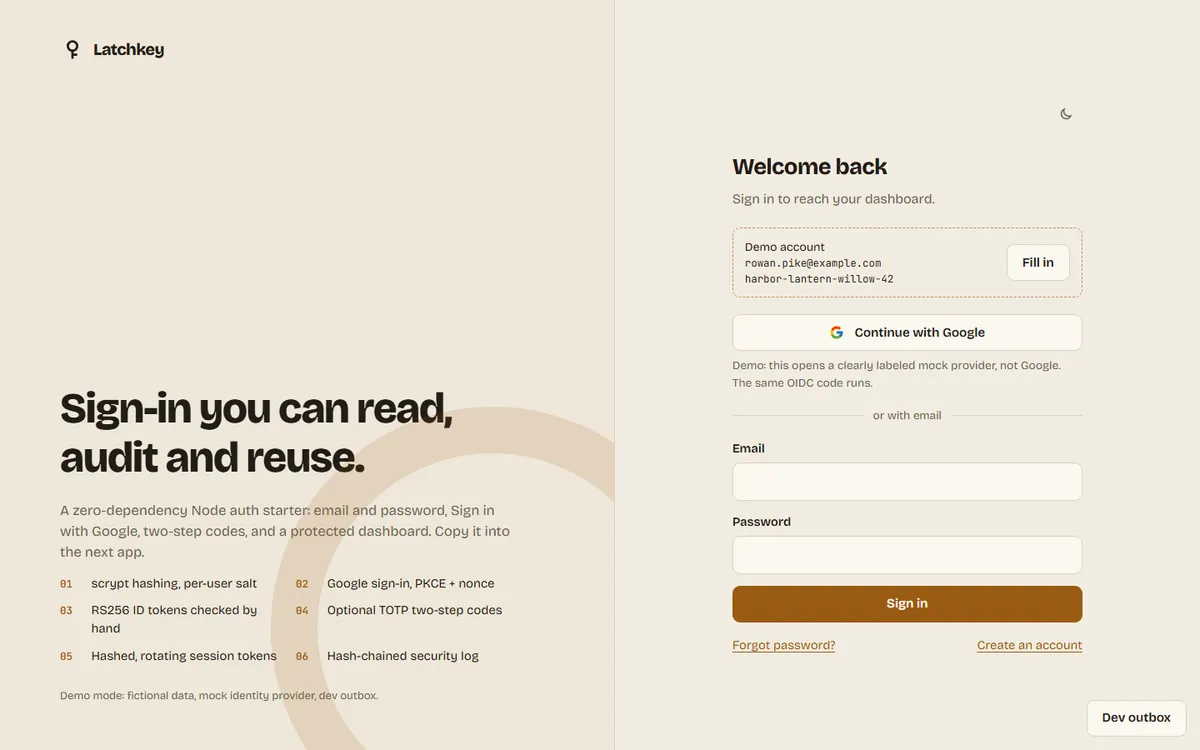
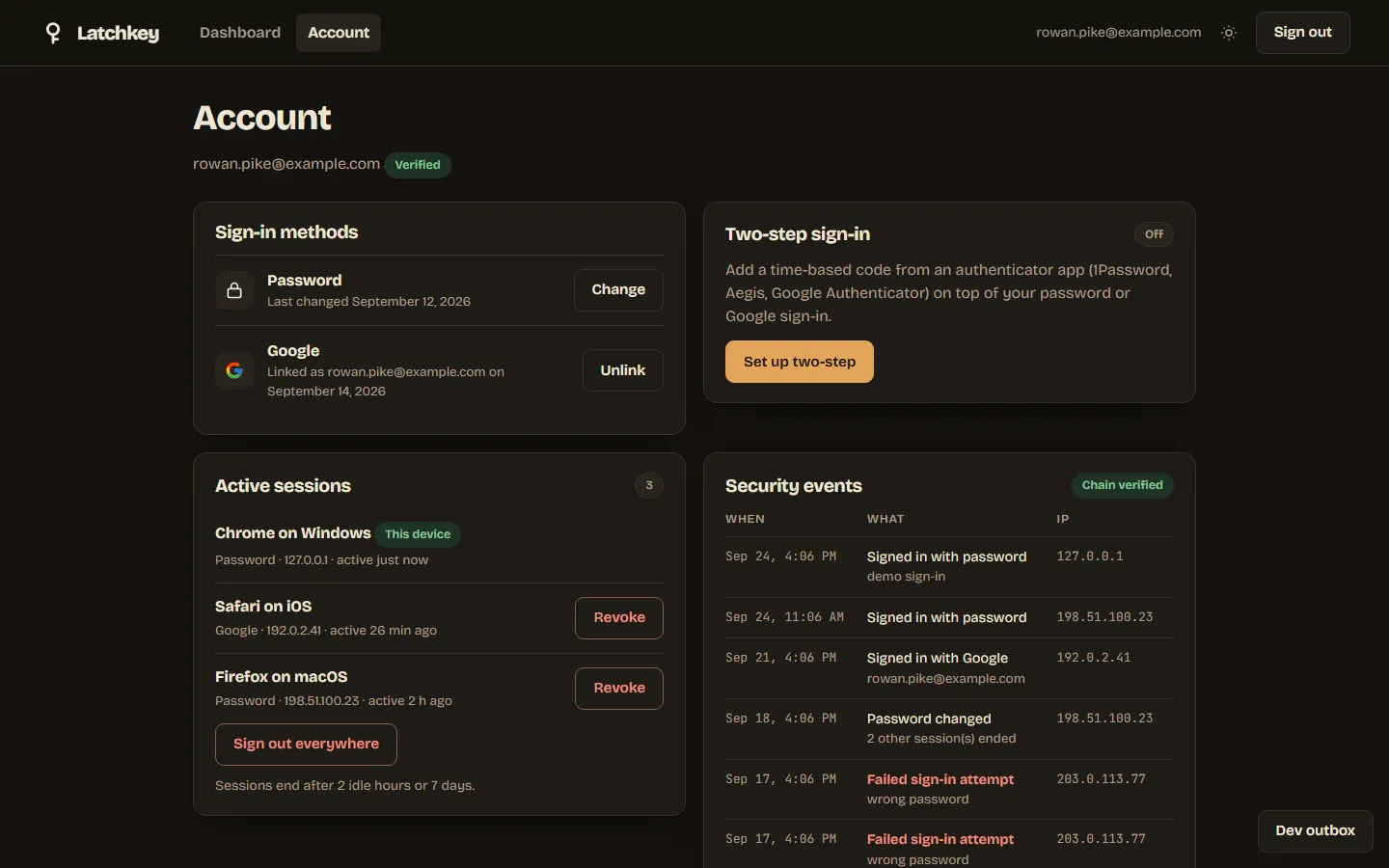
Screenshots
In more detail
Latchkey is a sign-in system another app can drop in. You get email and password accounts, Sign in with Google, optional phone codes for two-step login, and a private dashboard that only signed-in people can see. Almost everything I build next needs accounts, and auth is the part where a shortcut turns into a breach, so I wanted one starter I understand line by line.
Honest limits
Real Google sign-in was never called. It needs a client id and secret, and the build ran entirely on the mock provider. No email was actually sent; links go to a local outbox folder. The UI was not clicked through in a real browser. The flows are covered by live API tests and screenshots, not click automation. It runs and it's tested, but it is not a hardened production auth service.
How I built it
This one started on Codex's list in the split file. On the last day Codex stopped picking up rows, so Claude Code took the rest of that list from the bottom up, and 61 was one of them.
It's a Node 24 server with no npm packages at all: node:http, the built-in node:sqlite, and node:crypto. We wrote the pure core first, then the SQLite stores, the session middleware, the routes, and the UI, testing after each layer. I set the order and the security rules. Sign in with Google is a hand-written OpenID Connect flow, and a clearly labeled mock identity provider (only with --demo) runs the exact same code end to end.
The build ran under the "tiny writes" rule after earlier agents lost long responses to dropped streams. Every file went in under about 4 KB, which is why the code is 59 small files. Three live tests boot the real server on a spare port and walk sign-up, sign-in, the mock Google flow, and two-step codes.
What I learned
- The order of ID-token checks is the security. We pin the algorithm to RS256, find the key by
kid, verify the signature, and only then trust any claim. That order is what makesalg: noneand HS256 key-confusion tokens fail. - Session cookies have to be SameSite=Lax, not Strict. The redirect back from Google is a cross-site navigation, and Strict drops the cookie that ties the flow to the browser.
- Linking Google by email has a trap. If someone signed up with your address and never confirmed it, linking Google has to wipe that unconfirmed password, or the squatter keeps a way in.
- You can prove an OIDC verifier with a local RSA key pair and a set of bad tokens (bad signature, wrong audience, expired, wrong nonce, alg none, HS256). Nothing ever has to call Google.
What carried forward
This project stands on 75 and 80. Tokens, TOTP, throttling, security headers, the hash-chained audit log, and the QR code maker come from project 75 (Gatehouse), and email validation from project 80 (Trellis), imported by relative path through one lib/reuse.js file. It was built right after the independent security review of 75, so those lessons were in from day one: failure counters keyed to email plus IP (never email alone) so a stranger can't lock you out, and link sending limited per IP so reset emails still go out while someone else is guessing. An INTEGRATION.md explains how a later app can pick it up.
If I took it further
I'd add passkeys (WebAuthn) next to the phone codes and split the routing into a small mountable router, so another app could put the auth routes under its own prefix.
#061 Built with Claude Code September 24, 2026 306 automated checks